Features
Automatic Time Announcements for Internet Radio
Tunio now announces the exact time on air, just like FM radio. Learn how to enable automatic time announcements for your stream and how the feature works under the hood.

Time Announcements On Air: Exact Time for Your Listeners — Just Like FM
At Tunio we hold ourselves to modern broadcast quality standards and keep adding features that bring our users' streams closer to professional radio. This time it's about the current time announcement — a signature move of big FM stations, now available to every station on Tunio.
What is a time announcement
Announcing the exact time is a radio classic: a short musical sting, a voice reads out the time, and the show goes on. This little detail makes a station feel alive and genuinely useful — radio becomes a way to check the clock again. Now you can add that insert to your own stream in a couple of clicks.
How to enable it
Open Stream Schedule → Content and add the automatic current time announcement.
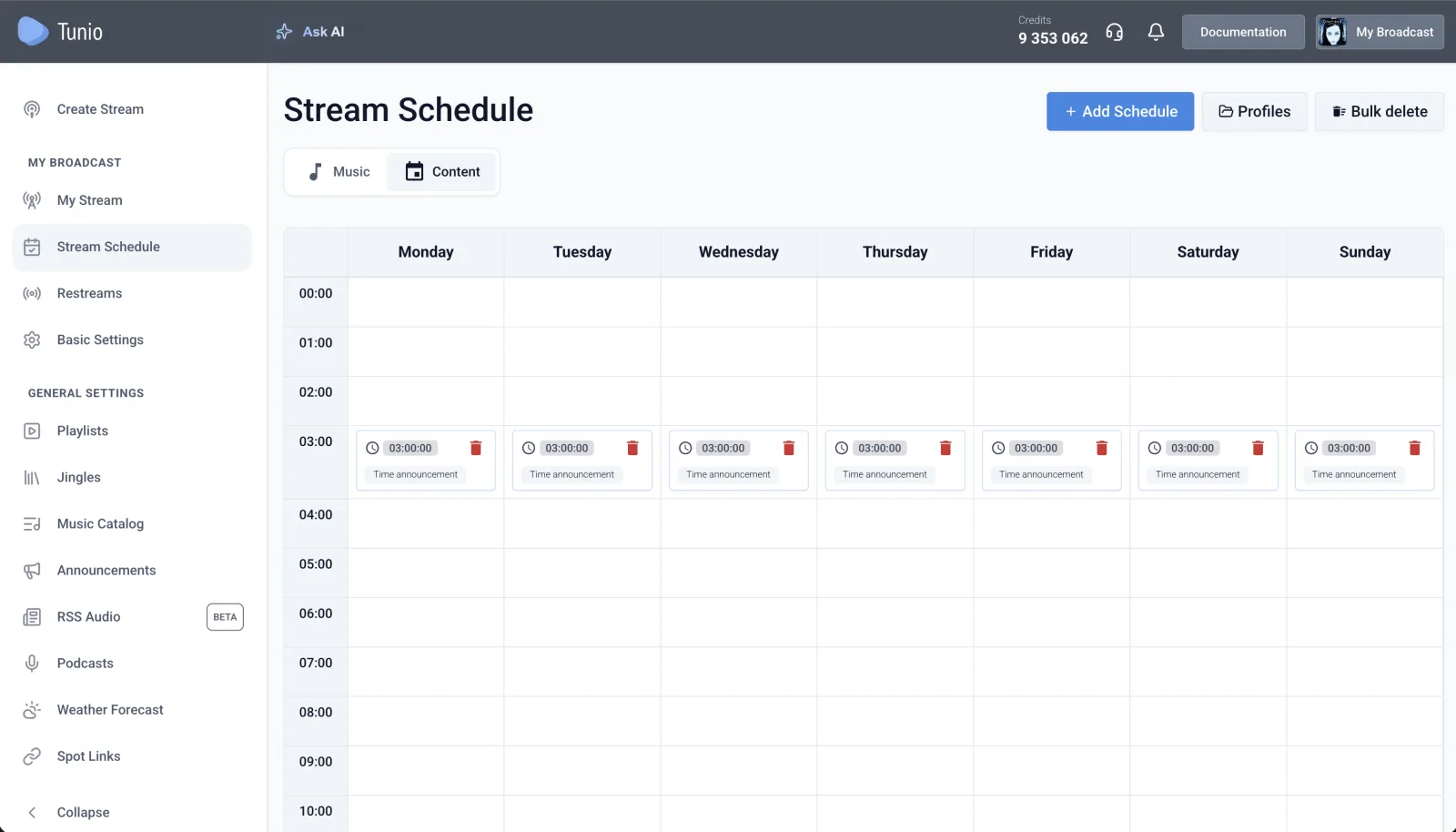
You can use it in two ways:
- As a standalone element of your broadcast — for example, telling listeners the exact time every hour
- Chained with other content, building a sequence: Time announcement → RSS audio or Time announcement → Podcast
Either way, Tunio voices the actual time at the exact moment the announcement goes on air.
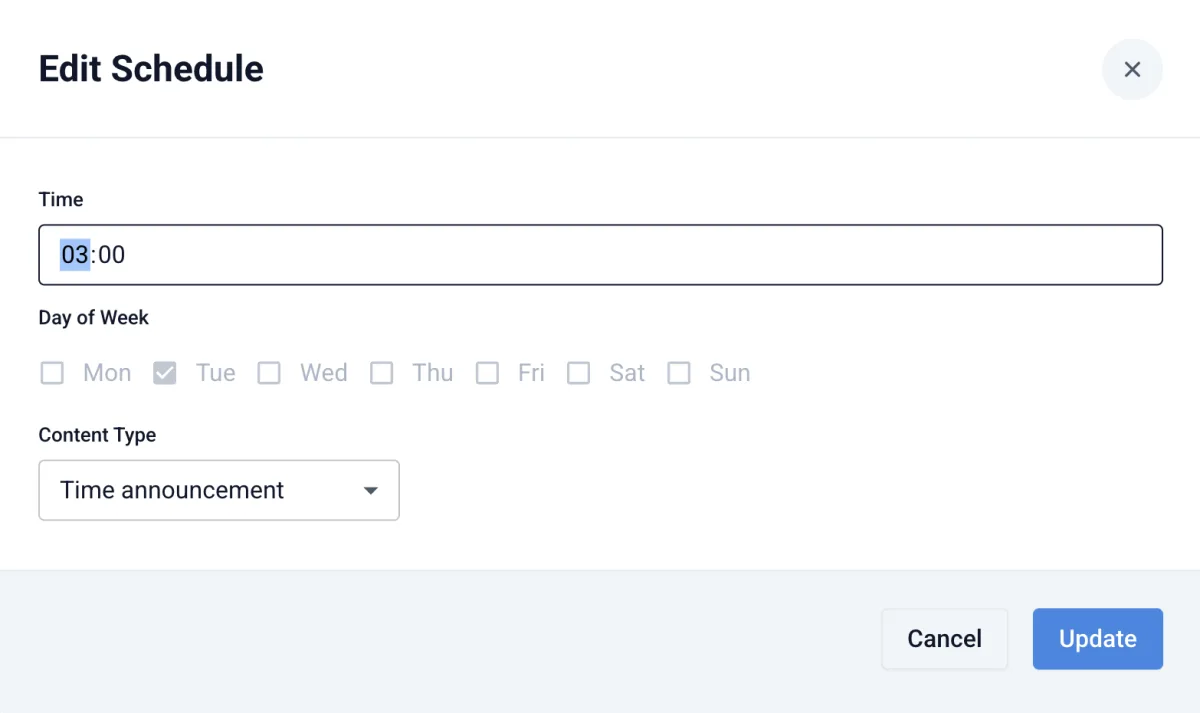
Stream Schedule is available on the Pro plan and above.
How it works under the hood
We pre-generated voiced time phrases in several languages — a separate phrase for every minute of the day: "Midnight", "Twelve oh five", and so on.
Then your stream name comes into play. If a station has a human-readable name, we pre-generate a static phrase for it: "On air — 'Your Station Name'". Before each announcement airs, the system stitches three parts together: a musical intro, the phrase with the current time, and the "On air — …" tail. Static building blocks turn into a dynamic insert that always names the right time.
If the stream name is a technical string of characters instead, we fall back to pre-generated time zone phrases: "In Vladivostok…", "In Astana…" — followed by the time.
The result: time announcements that sound like FM radio — fully automatic.
Try it on your stream
Enable the time announcement in Stream Schedule — and your station will sound one step closer to professional radio.